Playing an SMP with friends across Java and Bedrock
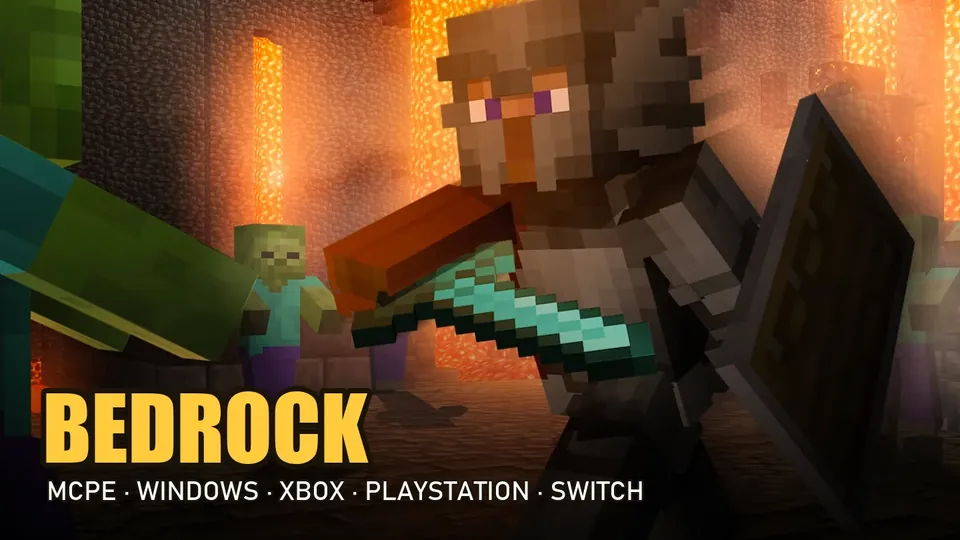
One friend is on a laptop, another on a Switch, a third on their phone. Here's how to get everyone into the same survival world, and the snags to expect along the way.
Java and Bedrock in one minute
Java Edition is the original version for computers: Windows, macOS and Linux. It's where the modding scene lives.
Bedrock Edition runs on Windows too, and it's the only edition on phones, tablets and consoles: iPhone, iPad, Android, Xbox, PlayStation and Switch. If you've ever heard someone say "Minecraft PE" or "Pocket Edition", that grew into today's Bedrock.
The two editions can't open each other's worlds. The way round that is a server built to accept both, so each player connects with their own edition and still ends up in the same place.
Three ways to play together
| Option | Upside | Catch | Mixed Java + Bedrock group? |
|---|---|---|---|
| Host your own | Total control over rules and settings | Someone has to set it up and keep it running | Only with extra server software |
| Realms | Mojang's paid private servers, simple to start | A subscription, and a small private group | No: Java Realms and Bedrock Realms are separate |
| Public crossplay SMP | Free to join, other people around, staff handle problems | You share the world with players you don't know yet | Yes, if the server supports both editions |
If your group is mixed and nobody wants to be the one keeping a server alive, the third option is the simplest. All four servers in our SMP ranking take both editions: SunRealms and AkumaMC run a Survival realm on a single address that Java and Bedrock players share, and Vanilla Europa and LoverCraft are survival servers that accept Java and Bedrock too.
Setting it up, device by device
The examples use SunRealms. For AkumaMC, use web.akumamc.net instead; the steps don't change.
Java on a computer
- Launch Minecraft: Java Edition, any version from 1.8 to 26.3.
- Open Multiplayer and click Add Server.
- Enter
web.sunrealms.netas the address. No port needed. - Save, select the server and join.
Bedrock on phone, tablet or PC
- Open Minecraft and press Play.
- Switch to the Servers tab and pick Add Server.
- Name it, enter
web.sunrealms.net, and set the port to 19132. - Save and join from your server list.
Windows
Windows can run both editions. They're separate games even when you open them from the same launcher, so check which one each friend is using; either can join the same crossplay server.
iPhone, iPad and Android
Phones and tablets run Bedrock, so they follow the Bedrock steps above. Wi-Fi is usually steadier than mobile data for a long session.
Xbox, PlayStation and Switch
Consoles run Bedrock too, and SunRealms and AkumaMC support them. The difference is the menu: on Xbox, PlayStation and Switch the Servers tab only lists featured servers, with no Add Server button, so the steps above won't work as written. The SunRealms and AkumaMC Discords have the current way to get a console player in, and on SunRealms you can ask through a Discord ticket.
The featured servers you do see in that list, such as The Hive and CubeCraft, are minigame networks rather than SMPs. The Hive is Bedrock-only, with games like Treasure Wars, SkyWars and Hide and Seek; CubeCraft takes both Java and Bedrock players, with games like SkyWars, EggWars and BedWars. Both are built around short rounds, not a shared survival world.
Finding each other once you're in
- Pick a time. Your friends won't all be online at the same moment by accident.
- Use the same address. Everyone should connect to exactly
web.sunrealms.net(orweb.akumamc.net), whatever their device. - Meet in the same realm. SunRealms and AkumaMC each run several gamemodes on one address, so agree to head to Survival.
- Talk somewhere. SunRealms and AkumaMC each have a Discord, which doubles as a place to coordinate and to ask for help.
When it won't connect
Check the address letter by letter
It's
web.sunrealms.netorweb.akumamc.net. If you copied an address from somewhere else, compare it with these.Bedrock: check the port
The port must be 19132. A blank or different port is an easy mistake to make.
Java: check the version
SunRealms and AkumaMC accept Java 1.8 to 26.3. Other servers can be stricter: LoverCraft, for example, needs 1.21.4 or newer. A snapshot or a heavily modded profile may not connect anywhere.
Restart and retry
Close the game fully, reopen it and try again before changing anything else.
Still stuck? Ask
SunRealms takes support questions through tickets on its Discord; AkumaMC has its own Discord.
Questions about crossplay
Can Java and Bedrock players play on the same SMP?
Yes, on a server that supports both editions. SunRealms (web.sunrealms.net) and AkumaMC (web.akumamc.net) each use one address for Java and Bedrock, with Bedrock on port 19132, so a mixed group shares one world.
Can my friend on Switch join me on a Java SMP?
Only if the server also supports Bedrock, because Switch runs Bedrock Edition. SunRealms (web.sunrealms.net, Bedrock port 19132) does, and the Java player can join on any version from 1.8 to 26.3. Switch has no Add Server button, so the SunRealms Discord has the current console steps.
Is a public SMP better than Realms for a mixed group?
For a mix of Java and Bedrock players, usually yes, because Realms for Java and Realms for Bedrock are separate. A public crossplay SMP such as SunRealms (web.sunrealms.net, Bedrock port 19132) lets both editions into one world.